Market research tool
ProcureSight Bulk Vendor Import
VIEW WEBSITE
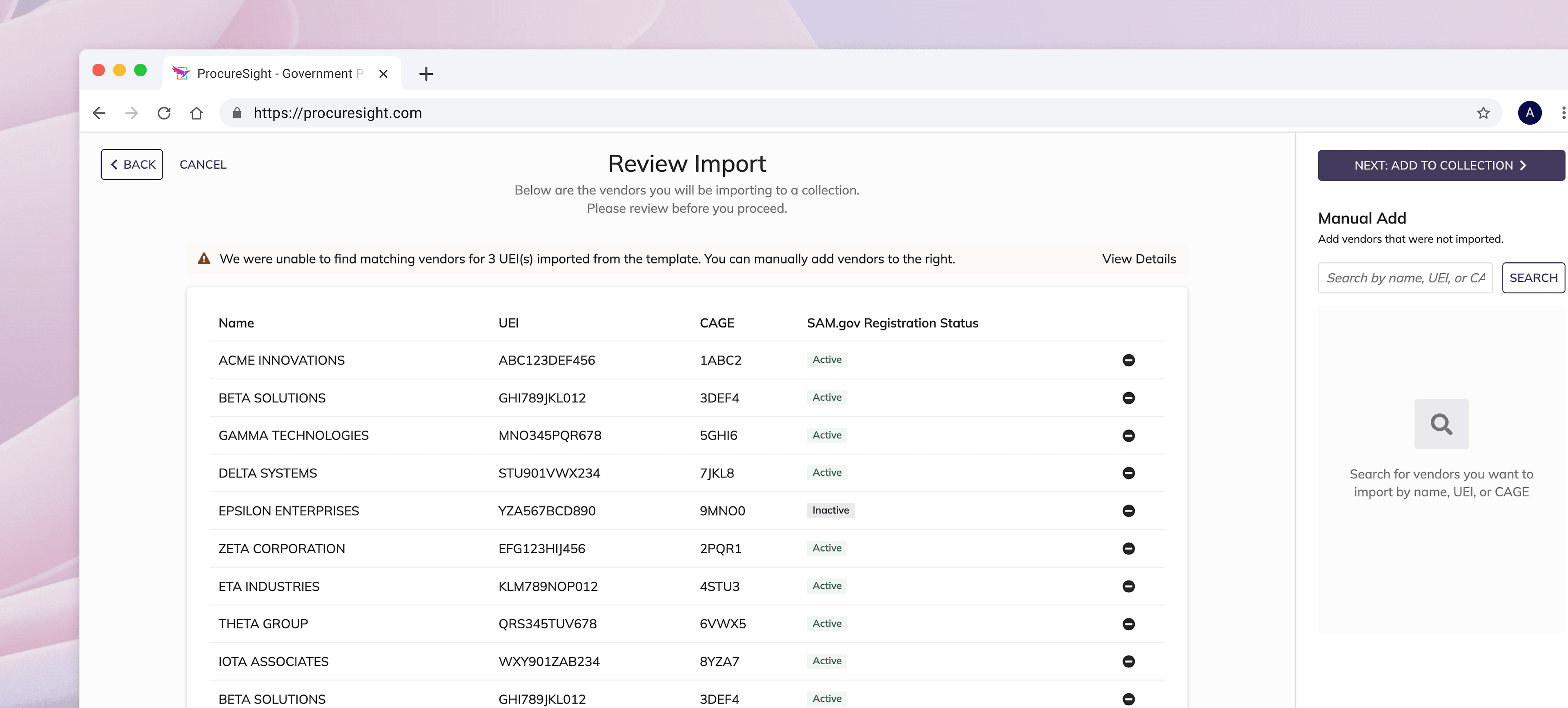
In federal acquisition, contracting officers often face lengthy, manual research cycles as they review and report on thousands of potential vendors. I designed a feature to enable users to bulk upload and report on vendors in a single, streamlined workflow. This capability became a critical efficiency boost for our customers; MDA relied on it to report on more than 4,000 vendors in a single day.
Role
UX Designer II
Team
1 PM
1 Designer
3 Devs
Duration
4 weeks
Tools
Figma
SAIL
Overview
Agencies need to run thousands of reports a day.
Each contracting officer needs to track several hundred vendors to ensure they are compliant with federal regulations. Each report serves as an audit trail to ensure transparency and fairness.
PAIN POINTS
1. The reporting process is manual and inefficient
On ProcureSight, contracting officers must manually search for a single vendor at a time to generate a report. This obviously doesn't scale well when someone must do this thousands of times every day.
2. Transferring research is difficult
It's hard for many of our new users to import their existing vendor research into our system because they must manually search them.
How can we help agencies run their reports more efficiently?
SOLUTION
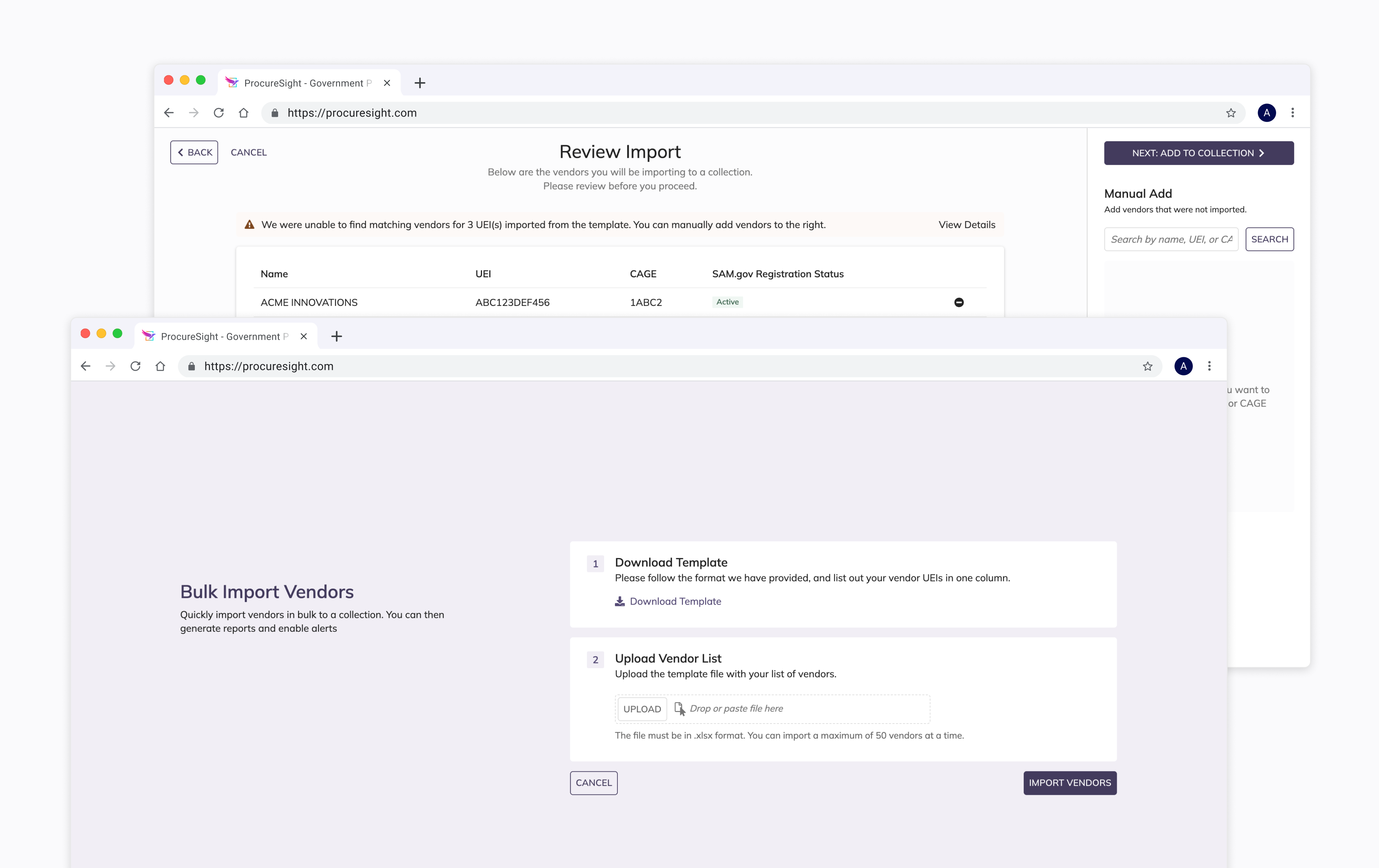
Create a feature that bundles vendors together to report on in bulk.
Design process
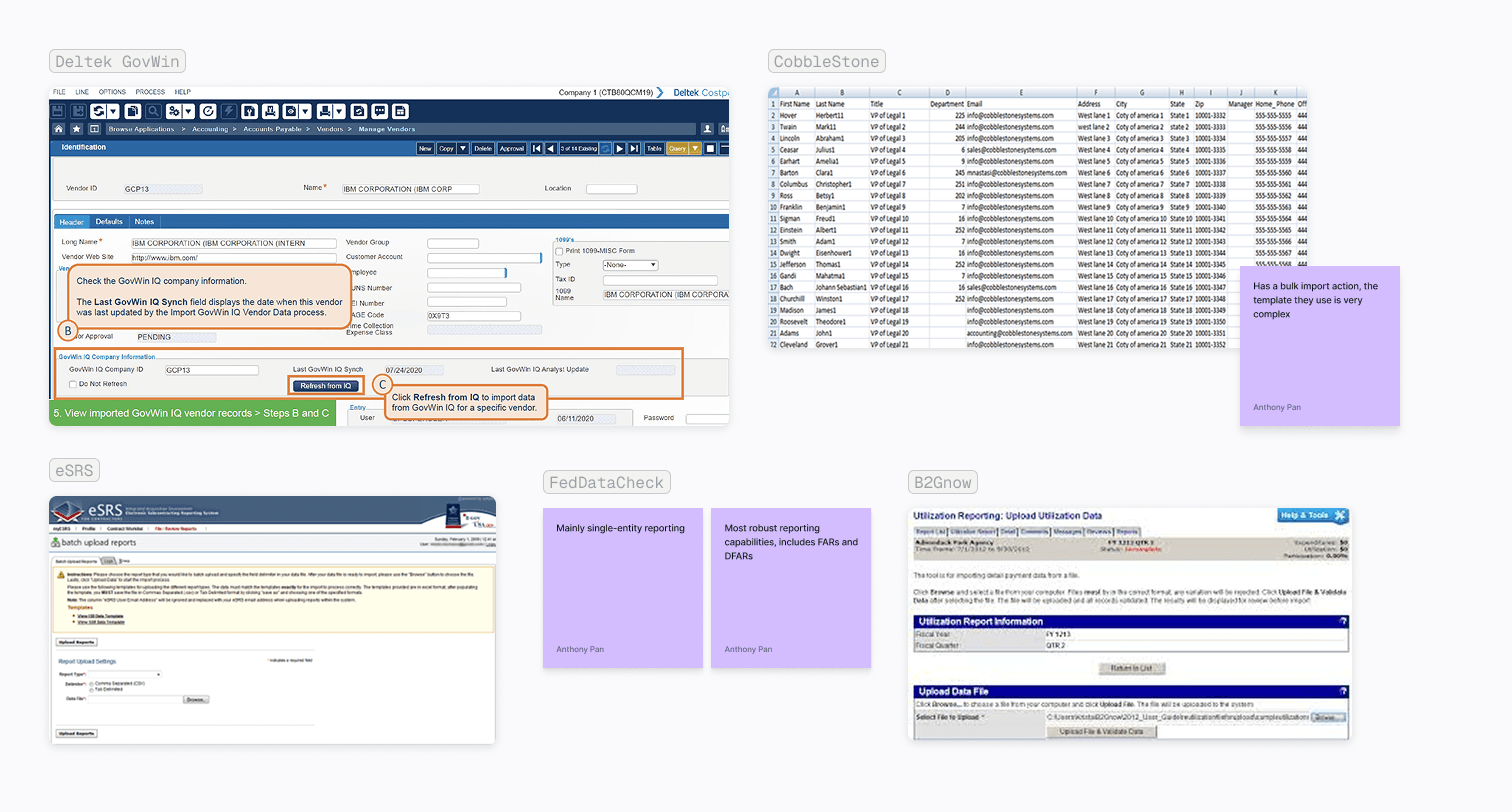
Competitive Analysis
Competitor interfaces are clunky, outdated, and complex. We have a big differentiator as none of our direct competitors offer a bulk reporting feature as robust as ours.
Exploration
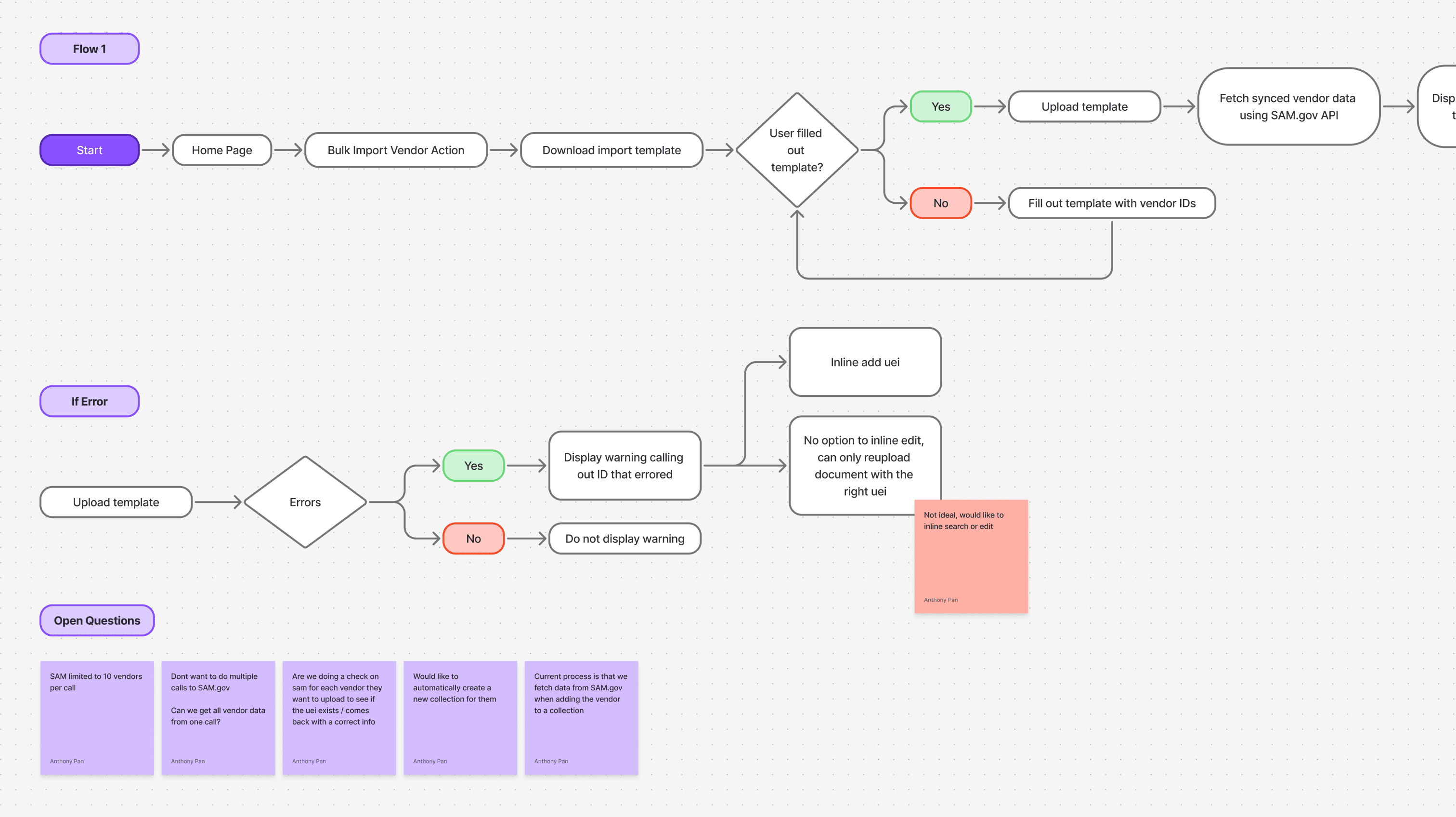
I broke down the requirements and created user flow diagrams to help identify integration points with existing features and surface friction in the early steps of the journey.
Wireframing
I created wireframes to help facilitate conversation between me, my PM, and the devs on the team. They greatly helped with visualizing the feature and understanding the core requirements

First iteration of wireframes, following similar patterns established by other Appian products
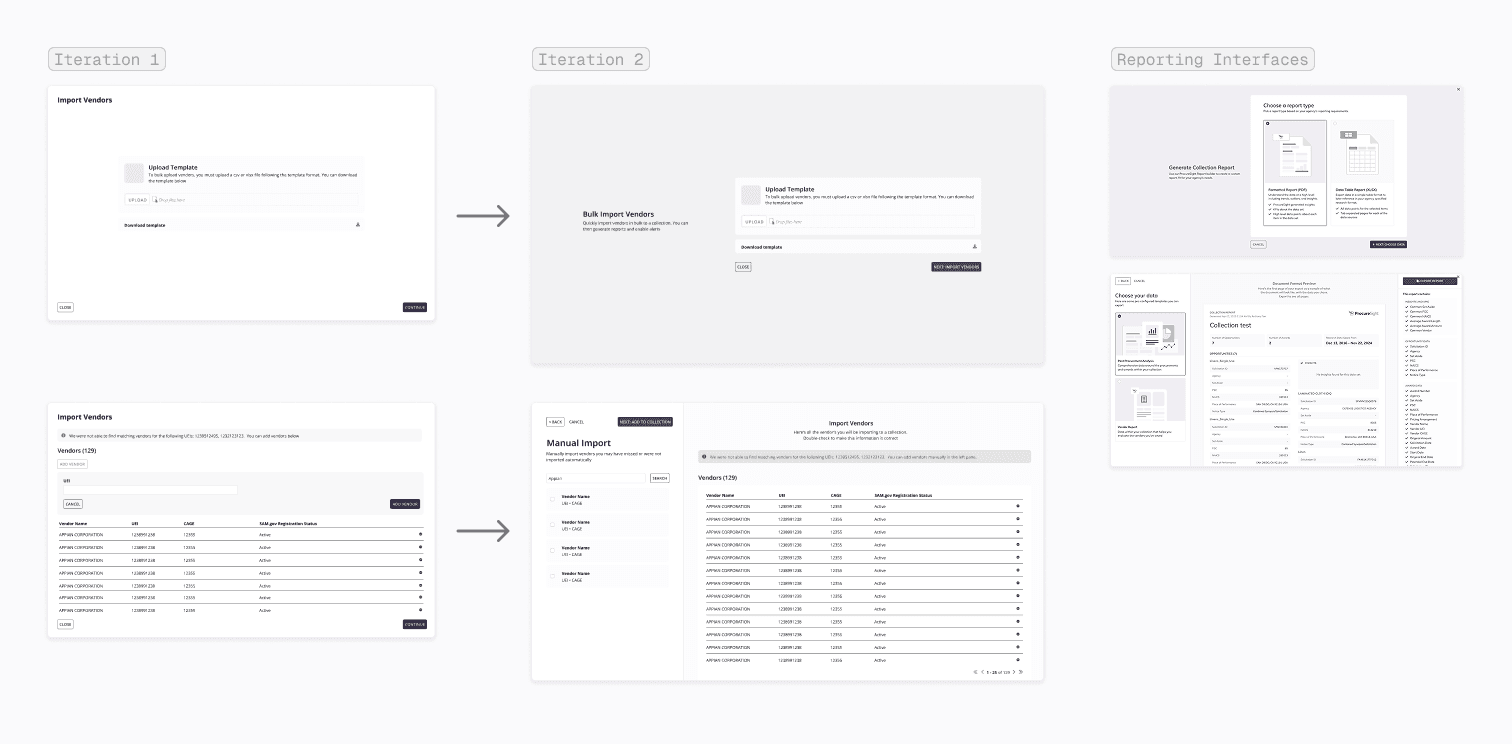
Revised layout to more seamlessly flow between the bulk import and report generation actions
Core flows
Upload List
Upload a list of vendor IDs that you're researching
Review Vendors
Review your list. Search for additional vendors you may have missed
Add to Collection
Add vendors to a collection to organize your research
Generate Reports
Generate reports on your uploaded vendors. Reports will be sent to your email.
Conclusion
Impact / Conclusion
A few months after we launched this feature, MDA used the bulk import to report on more than 4,000 vendors in a single day for a major acquisition. They selected ProcureSight specifically for this functionality, and since then we've observed sustained adoption and ongoing growth in feature usage as the platform continues to scale.